Paying down or closing a loan reduces your debt and improves the metrics that govern your flexibility inside the vault: LTV, health factor, and withdrawable collateral.
Why repay?
-
Lower LTV, higher health factor – each repayment moves your loan health toward green and raises the liquidation buffer.
-
Collateral freedom – collateral earmarked for the next redemption cycle is released proportionally, so you can withdraw it or redeploy it elsewhere.
-
Room for withdrawals – withdrawing collateral reduces your deposit and raises your LTV against the 90% LTV cap. Repaying first creates the headroom to pull principal out.
Making even a small repayment secures more control over how and when you use your collateral.
The Repay tab accepts three asset types: alAssets, MYT, or the underlying token. You can use whichever is most convenient or cheapest at the moment.
Earmarked vs non-earmarked debt
| Debt type | How to identify | Repayment asset | Effect |
|---|---|---|---|
| Non-earmarked | “Earmarked” counter = 0 in the UI | alAsset | Reduces debt immediately. |
| Earmarked | “Earmarked” shows a token amount | MYT | Repays the reserved slice and frees the earmarked collateral. |
Repaying earmarked debt before maturity can keep your health factor higher.
Step 1 – Open the Repay tab
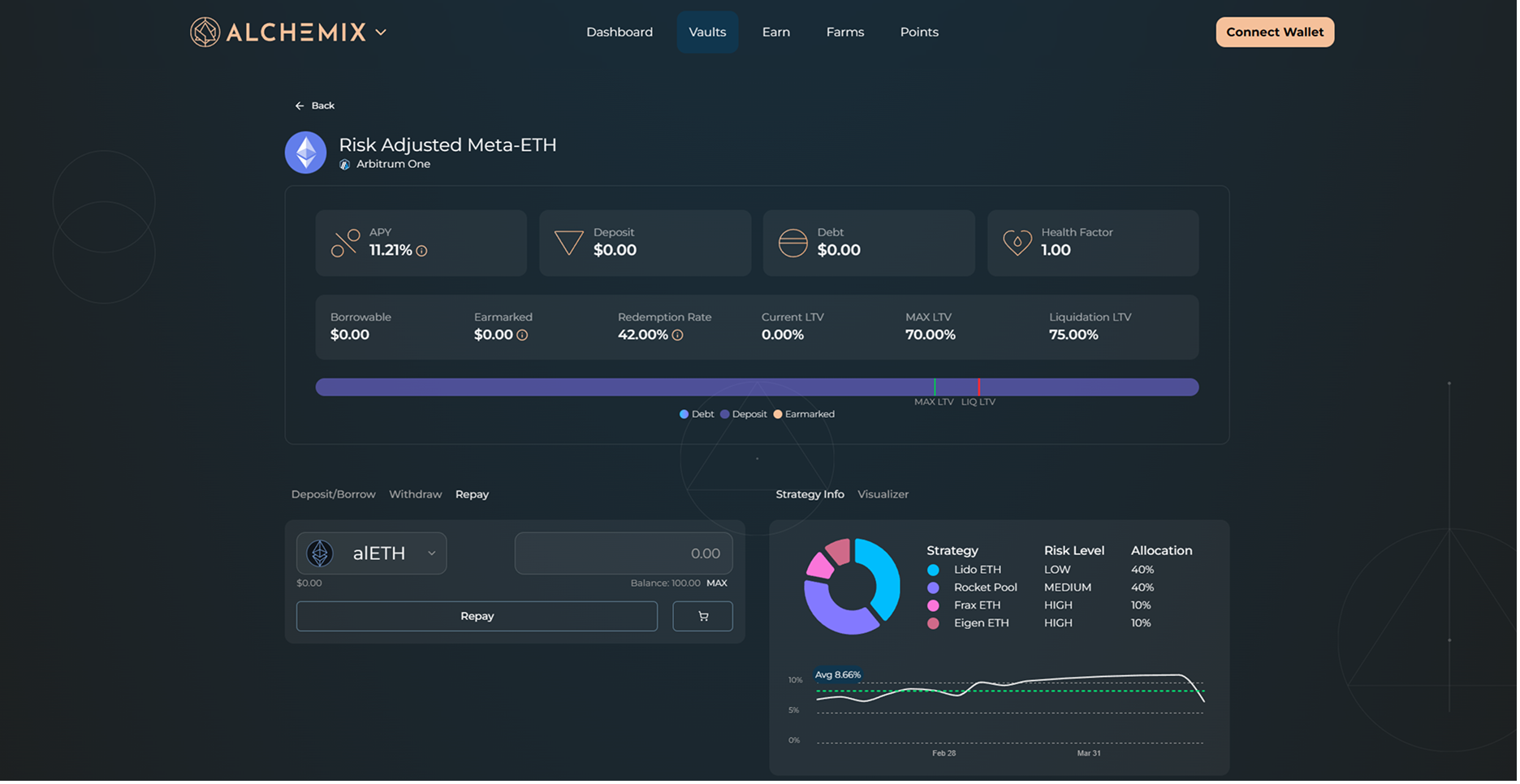
Go to the Dashboard, click Manage on your vault position, and select the Repay tab.
Step 2 – Choose what to repay with
| Option | When to use | Notes |
|---|---|---|
| alAsset (alUSD or alETH) | Standard debt | Repays non-earmarked debt only. |
| MYT (Mix-Yield Token) | Earmarked debt and/or standard debt | Required for any debt already earmarked for a redemption cycle. |
| Underlying (ETH or USDC) | Convenience | Interface swaps to MYT behind the scenes before applying the repayment. |
The asset-selector dropdown (left side of the entry box) will only list what is valid for the current vault state.
You can often buy alUSD or alETH on secondary markets (like Curve) for slightly less than $1.00. Using these discounted tokens to repay your loan allows you to clear your debt cheaper than 1:1!
Step 3 – Enter the amount
Type the number of tokens you want to use to repay debt. The “Max” function will attempt to use your entire wallet balance, or the remainder of the debt balance, whichever is lower.
Step 4 – Send the transaction
Click Repay and confirm the transaction in your wallet.
Tips
-
If you plan to close a position entirely, repay any earmarked debt first (MYT) and then clear the remainder with your choice of asset.
-
Repaying earmarked debt with MYT can free up borrowable capacity sooner in a high redemption rate period.